QR connections
Connect by QR code, without typing an IP.
Free and open source · No account
Scan, choose, share.
Why Dukto2
Connect by QR code, without typing an IP.
Opt in for a 30-minute window; tap notifications and approve to receive. System power limits apply.
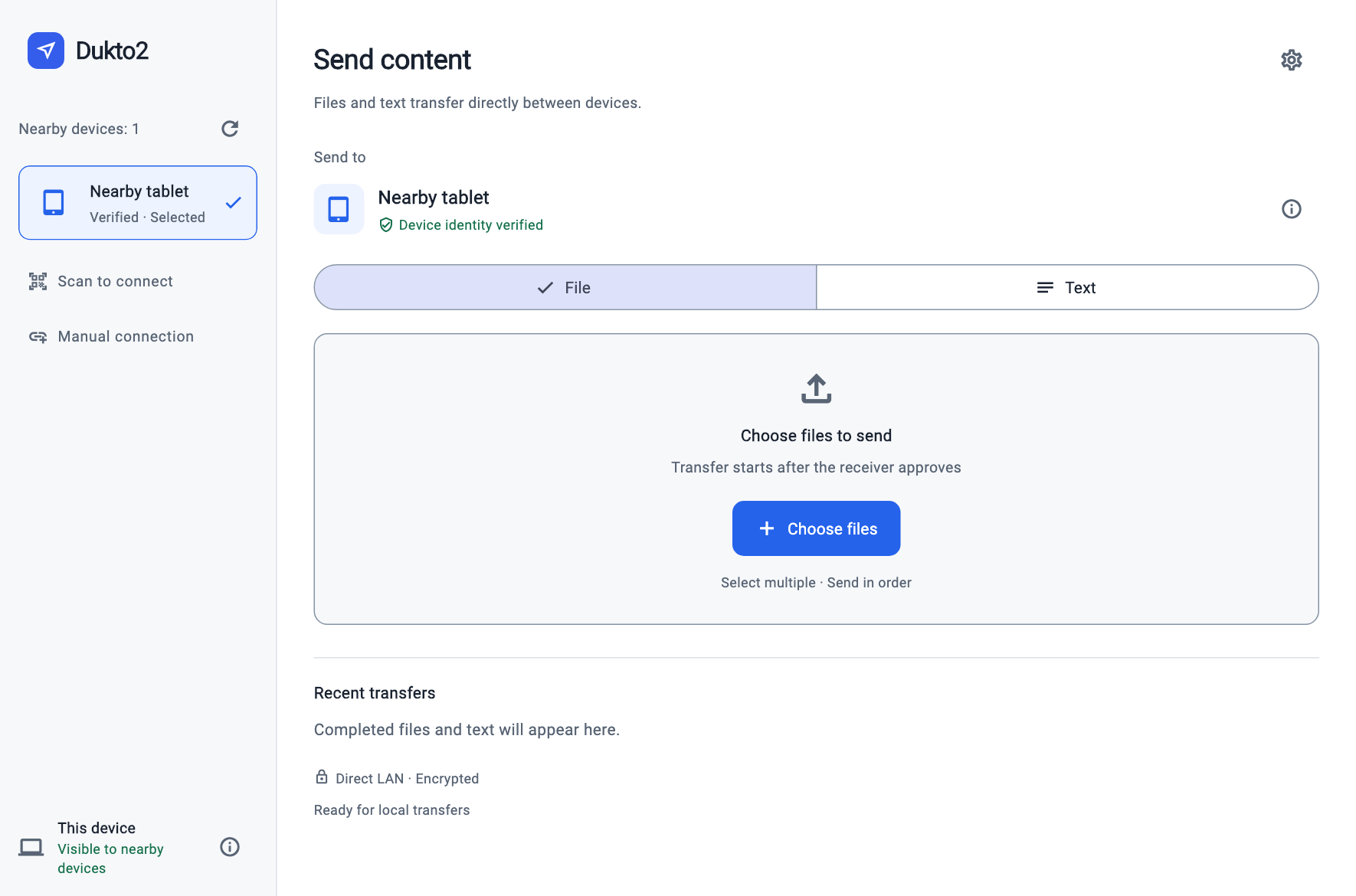
Choose a device and content; send after approval.
Direct LAN sharing, no cloud relay, with recipient approval.
macOS 12+
macOS 12+. Apple Silicon tested; Intel untested. Ad-hoc signed and not notarized by Apple. Gatekeeper may block opening.
x64 / ARM64
x64 and ARM64 ZIPs, without publisher signing; the system may block them. Windows 11 x64 has partial validation. ARM64 requires Windows 11 and still needs hardware acceptance testing. Windows 10 is untested.
Android 7+
Android 7+, signed release APK. Selected scenarios tested on Android 16 / 17 hardware. In 0.1.7, background reception can be enabled manually and is off by default; power-saving policies may still interrupt it. Development builds with a different signature cannot be upgraded in place.
Ubuntu 24.04 · x64 / ARM64
x64 / ARM64 TAR.GZ packages, based on Ubuntu 24.04. Some x64 file transfers tested. Other distribution dependencies, text transfers, full current-GUI sending regression and ARM64 hardware still need validation.
iOS / iPadOS 15+ · Sign it yourself
iOS / iPadOS 15 minimum. No directly installable public release yet; unsigned release builds need developer signing. Simulator and physical iPad ↔ Mac tested; physical iPhone, older systems and background use remain untested.
Getting started
No account is needed. Content goes directly between reachable LAN devices without an internet relay. Downloading installers requires GitHub access. Dukto2 is free and open source; the main site's CNY 1 consultation fee applies only to separate human services, not software downloads.
Not currently: folders, transfer resume, IPv6, concurrent queues, automatic clipboard sync or the old Dukto protocol. Restart after a network interruption or app exit. Canceling does not remove files already saved completely.
Manual or QR connections across subnets require direct network access and cannot bypass network isolation. Initial cross-subnet discovery needs network forwarding or an additional discovery service.
Yes. Version 0.1.7 adds “Background reception” under Settings → Notifications. Enable it manually; it is off by default. Each window lasts up to 30 minutes and stays off after a restart. Incoming requests trigger a notification; tapping still requires reviewing the file list and confirming reception. Opt-out or expiry stops waiting for new requests; approved transfers may continue. Power-saving policies such as HyperOS may freeze the app, so long locked-screen availability is not guaranteed. Files are never accepted automatically.
An independent Flutter / Dart rewrite maintained by lvjing2, with its own transfer core and protocol. Original author Emanuele Colombo permitted the Dukto2 name on condition it stays open source. Licensed Apache-2.0. Naming permission does not imply an official sequel or endorsement. Thanks to the original project and community.
Read the project guide and validation coverage, then use GitHub Issues to report your device, OS version and reproduction steps. Do not upload private files or personal information. Development is primarily by OpenAI Codex under human direction; repository records define actual checks and device validation.